Mamushi
Tips for better results
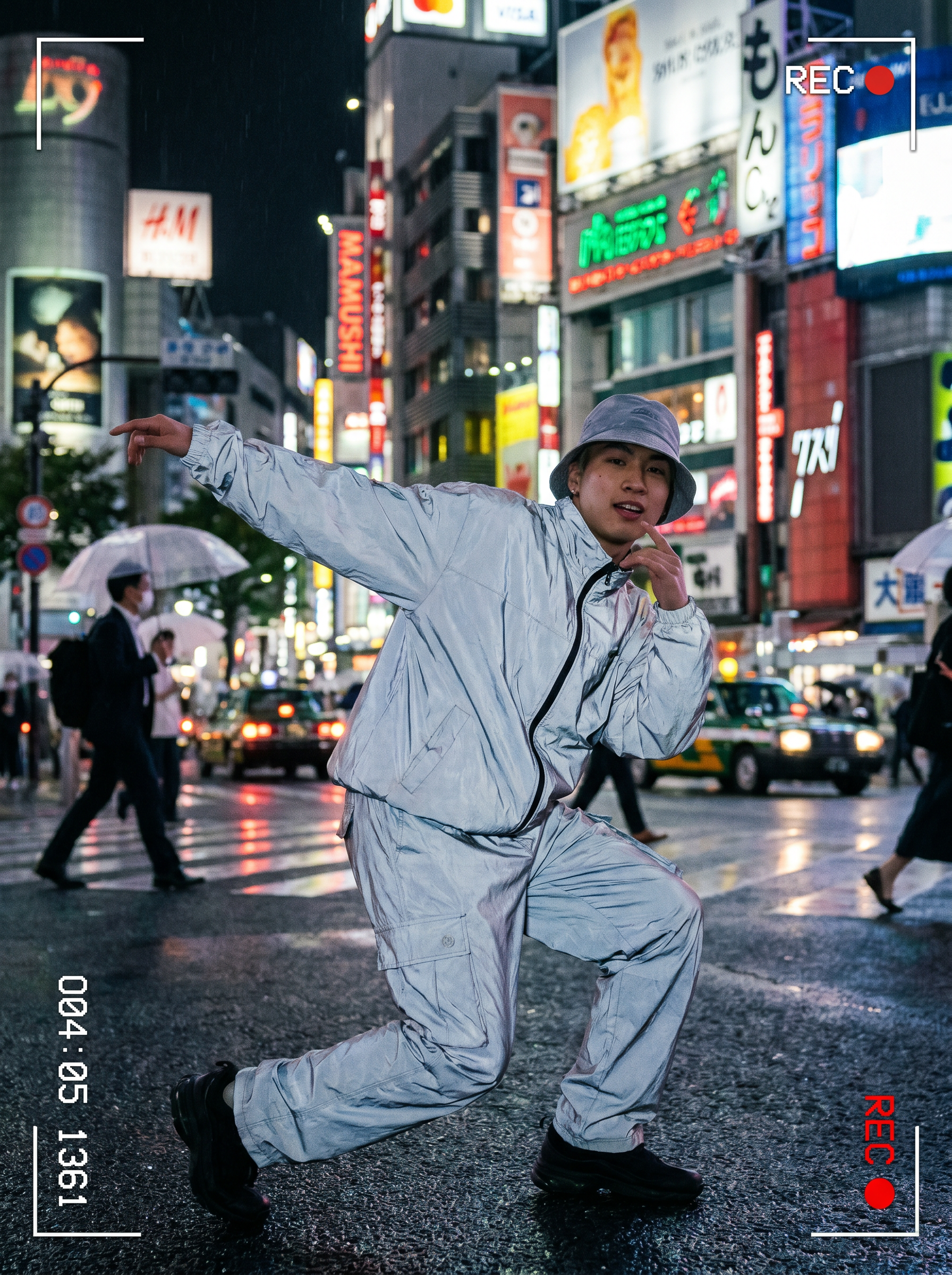
Preview — your generation appears here
What is Mamushi?
The Mamushi effect on PromptNerdyToMe transforms your text descriptions into high-energy, cinematic dance videos set against the vibrant backdrop of neon-lit Tokyo streets at night. By simply describing a dancer, the AI generates a short video featuring confident hip-hop styling and a polished music-video aesthetic. It provides a straightforward way to create stylized, atmospheric dance content without needing a camera or production crew.
Best for
- • Creating eye-catching transition clips for TikTok dance trends
- • Generating atmospheric background visuals for Instagram Reels
- • Producing stylized hip-hop visualizers for YouTube Shorts
- • Drafting quick concept teasers for music video directors
How to use Mamushi
Describe who's dancing
Type a detailed description of your dancer, including their fashion style and attitude, into the prompt input field.
Generate the video
Click the generate button to let the AI render your cinematic Tokyo street dance scene.
Preview the clip
Review the generated video to ensure the hip-hop styling and neon atmosphere meet your expectations.
Download and share
Save the final video to your device and share it directly to your preferred social media platforms.