Movie Poster
Tips for better results
Preview — your generation appears here
What is Movie Poster?
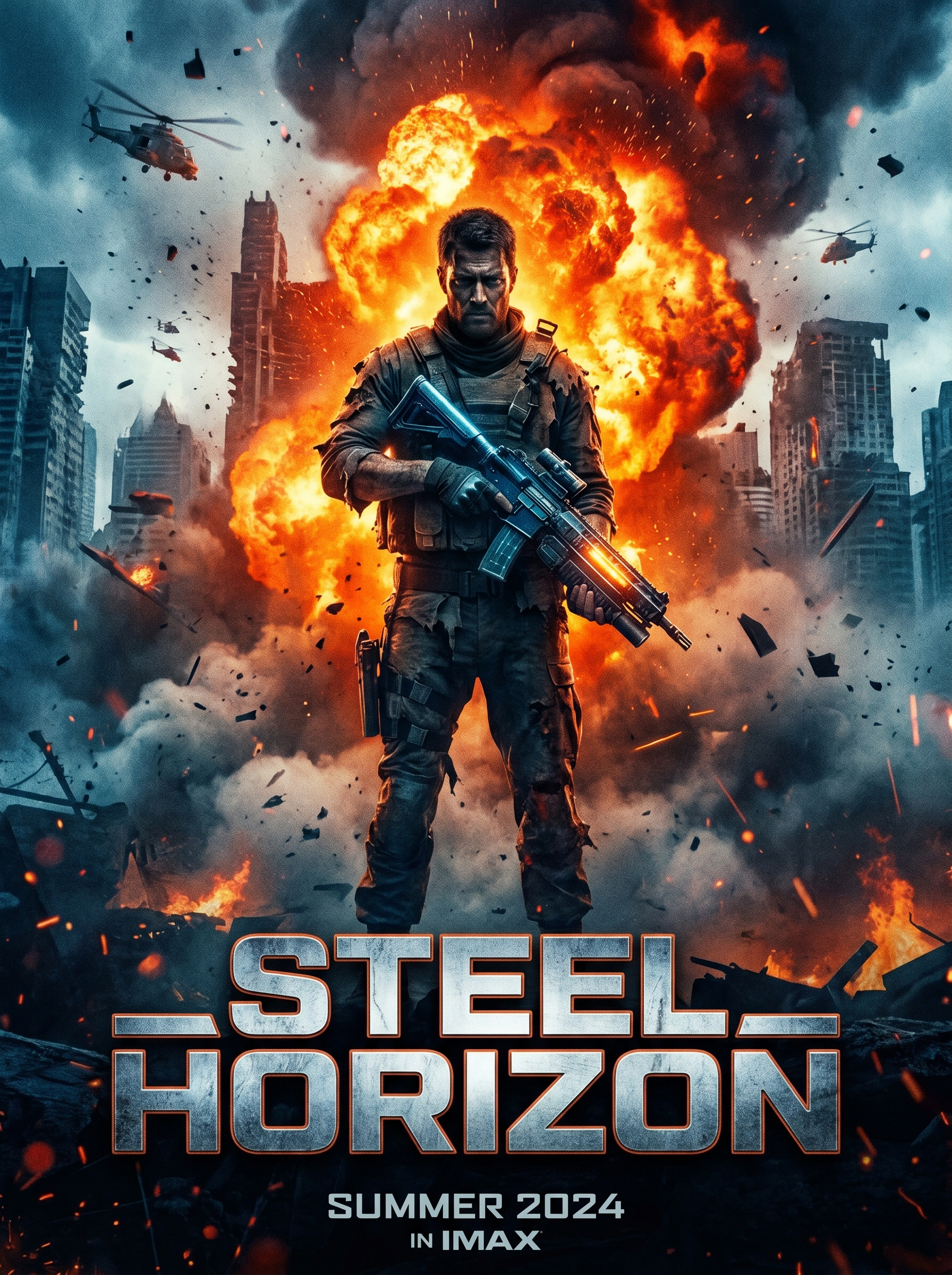
The Movie Poster effect on PromptNerdyToMe transforms your everyday photos into cinematic, blockbuster-style promotional art. By analyzing your uploaded image, the AI places your subject in a heroic stance against a dramatic, action-packed backdrop complete with explosive elements. It also styles the composition to leave dedicated space for a theatrical title, giving you a high-quality graphic that looks ready for the big screen. Whether you want to look like an action hero or a sci-fi lead, this tool delivers a polished, cinematic aesthetic.
Best for
- • Creating eye-catching cover images for YouTube Shorts action vlogs
- • Designing dramatic profile pictures for Instagram Reels creators
- • Generating teaser graphics for TikTok storytimes and series
- • Crafting custom digital posters to share with community groups
How to use Movie Poster
Upload your photo
Select a clear, high-resolution photo of yourself or your subject where the face and shoulders are fully visible.
Select your style options
Choose any additional aesthetic preferences or color themes to guide the blockbuster look.
Generate the poster
Click the generate button and wait a few moments while the AI renders your heroic cinematic image.
Download and share
Save your final high-resolution movie poster to your device and share it directly to your social feeds.