Outfit of the Day
Tips for better results
Preview — your generation appears here
What is Outfit of the Day?
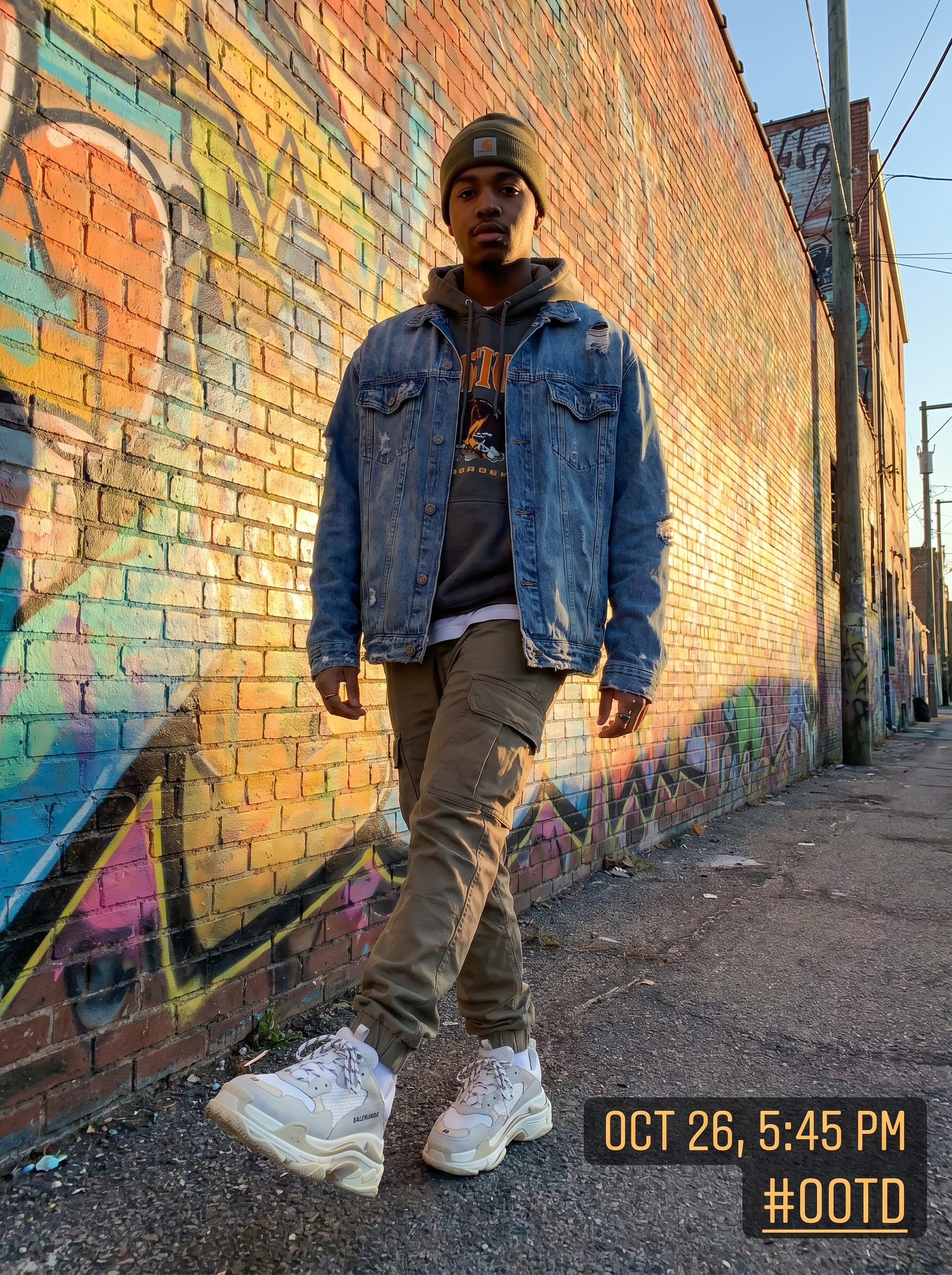
The Outfit of the Day effect on PromptNerdyToMe transforms your static fashion photos into dynamic, short-form video clips. By uploading a single image, the AI places your style into a streetwear-inspired scene, complete with a vibrant graffiti backdrop and warm golden hour lighting. The resulting video mimics a professional fashion reel, adding motion and depth to your outfit showcase. It is designed to help creators quickly generate engaging video content from standard wardrobe photos.
Best for
- • Creating eye-catching transition clips for Instagram Reels.
- • Generating quick, aesthetic streetwear showcases for TikTok.
- • Adding dynamic fashion content to your YouTube Shorts feed.
- • Updating your digital lookbook with motion-based style previews.
How to use Outfit of the Day
Upload your fit pic
Select and upload a clear, well-lit, full-body photo of your outfit to begin the process.
Generate the video
Click the generate button to let the AI analyze your clothing and render the urban backdrop.
Preview the animation
Watch the generated video to see your outfit animated against the golden hour graffiti wall.
Download and share
Save your new fashion video to your device and post it directly to your social media feeds.