Beard Filter
Tips for better results
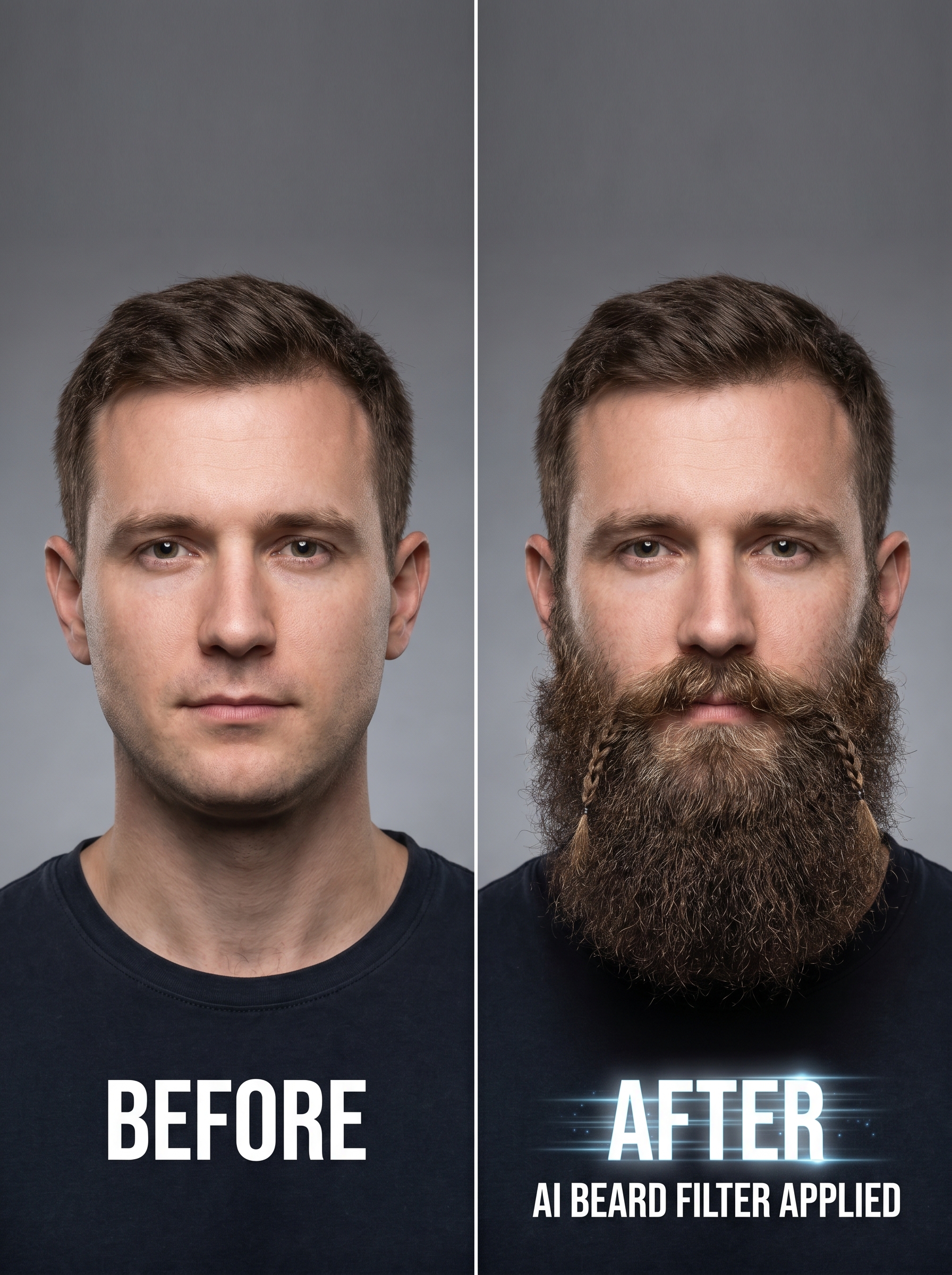
Preview — your generation appears here
What is Beard Filter?
The Beard Filter on PromptNerdyToMe allows you to instantly visualize yourself with a thick, well-groomed Viking-style beard. This photo-to-image effect carefully preserves your original facial features while seamlessly blending a realistic, studio-quality beard onto your portrait. The resulting image looks natural and detailed, giving you a high-quality preview of a rugged new look without any of the growing pains.
Best for
- • Creating a fun transformation post for your Instagram feed
- • Generating a rugged new profile picture for Discord
- • Sharing a before-and-after comparison on your TikTok stories
- • Testing out a potential real-life beard style before committing to the grow-out
How to use Beard Filter
Upload your photo
Select and upload a clear, front-facing portrait of yourself where your face is fully visible and well-lit.
Generate the style
Click the generate button to let the AI analyze your facial structure and apply the groomed Viking beard.
Preview the result
Review the generated studio portrait to see how the realistic beard blends with your original features.
Save and share
Download your high-resolution image directly to your device or share it with friends on social media.