Old Age Filter
Tips for better results
Preview — your generation appears here
What is Old Age Filter?
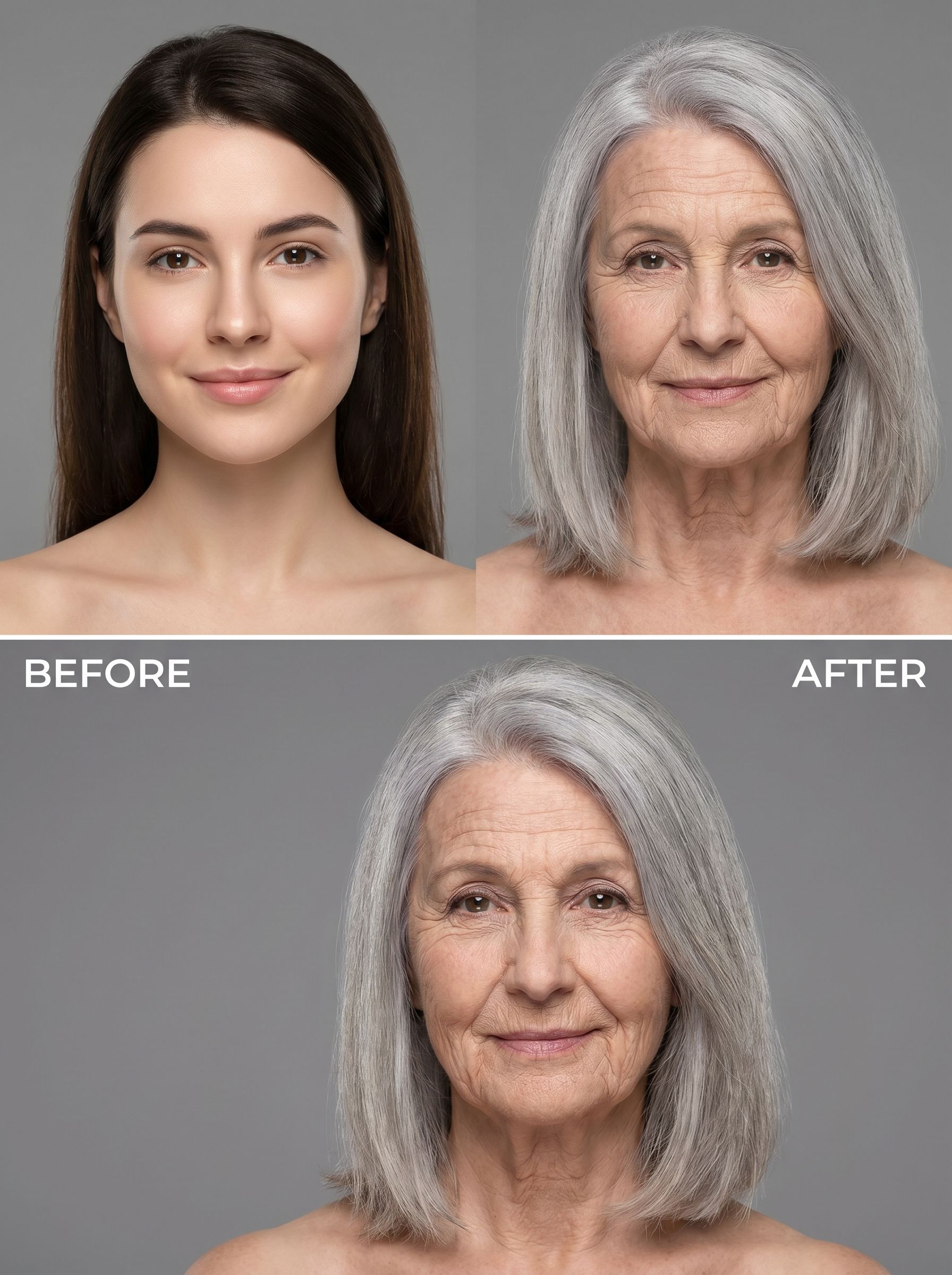
The Old Age Filter on PromptNerdyToMe allows you to preview what you or your subjects might look like decades into the future. By applying realistic aging characteristics like wrinkles and gray hair, this photo-to-image effect transforms your current portrait into a detailed, studio-quality image of an 80-year-old version of yourself. The underlying AI carefully preserves your core facial structure, ensuring that the final output remains recognizable and true to your original features.
Best for
- • Creating a 'then and now' transition image for TikTok trends.
- • Sharing a humorous future-self portrait on your Instagram feed.
- • Generating thumbnail images for YouTube Shorts discussing longevity or aging.
- • Sending a lighthearted family reunion update to a WhatsApp group.
How to use Old Age Filter
Upload your photo
Select and upload a clear, high-resolution portrait of yourself or your subject with a neutral expression.
Apply the filter
Initiate the Old Age Filter to let the AI analyze the facial features and generate the aged portrait.
Preview the generation
Review the generated image to see the realistic wrinkles, gray hair, and preserved facial structure.
Download and share
Save the high-quality aged portrait to your device and share it with your friends or on social media.